
El centro de control de toda tu flota
Configura todo a distancia y modifícalo, supervisa su estado y edítalo incluso durante el evento. Eventos, dispositivos, licencias, recursos y analíticas en un panel, desde cualquier navegador.
Seleccionar
Crea y configura todo a distancia en Foto Master Cloud: flujos de trabajo, diseños, ajustes de IA, galerías y uso compartido.
Sincronizar
Un clic envía todo al fotomatón. Tu software recibe cada ajuste, sin memorias USB ni transferencias manuales de archivos.
Reproducir
Gestiona el evento sin tocar ajustes en el lugar. El software local mantiene la rapidez y estabilidad, con o sin internet.
Cada evento, totalmente definido desde cualquier navegador
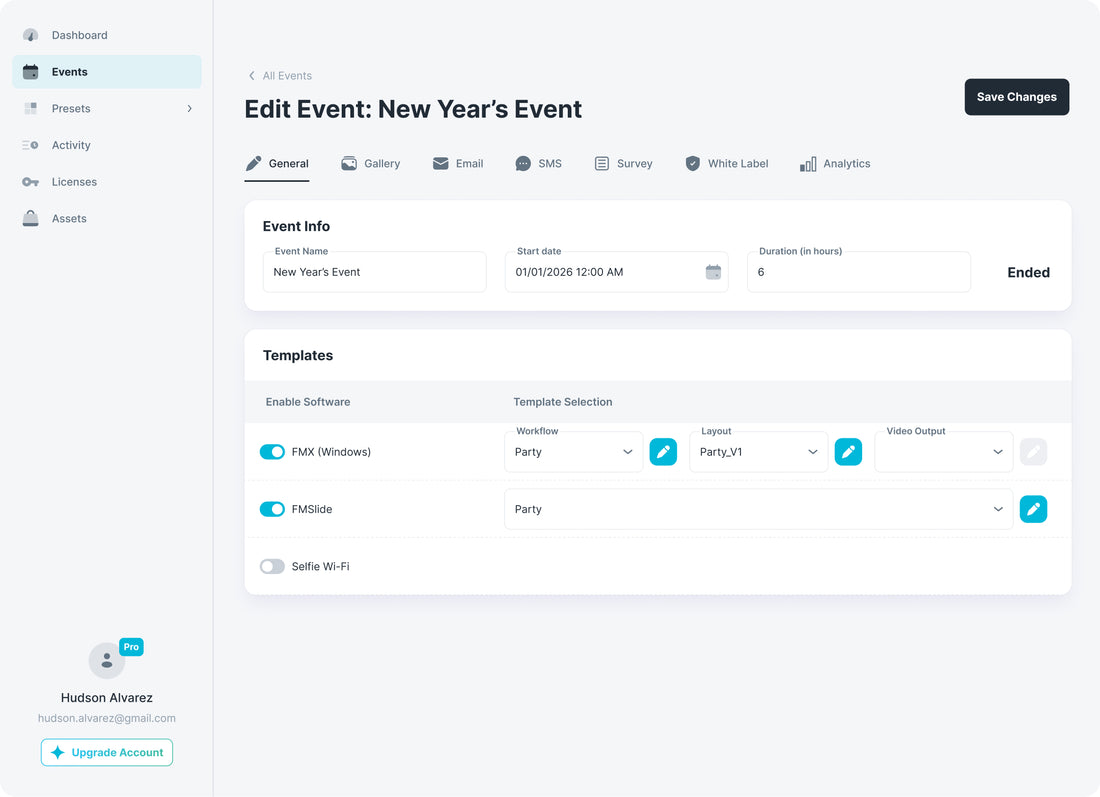
Crea un evento y configura todo en un solo lugar; después, modifica cualquier ajuste desde el mismo navegador, incluso mientras el evento está en marcha.
Añade tantos fotomatones y aplicaciones como necesite el evento y asigna a cada uno su preajuste.
Galería, uso compartido, correos y marca: configúralos una vez para todos los dispositivos del evento.
Añádelos desde tu biblioteca o duplica un evento anterior con un clic.
Todos los datos o archivos multimedia del evento, exportados al instante para tu cliente.
Un evento. Todos los dispositivos que haga falta.
Conecta tantos dispositivos y aplicaciones como quieras a un evento. Todos alimentan la misma galería, comparten los mismos ajustes y se agrupan en unas mismas estadísticas, y siguen funcionando si falla el wifi del lugar. Las aplicaciones también pueden comunicarse, de modo que una continúe donde termina otra.
Y como todas las licencias están en una cuenta, siempre sabes exactamente qué se ejecuta y dónde.
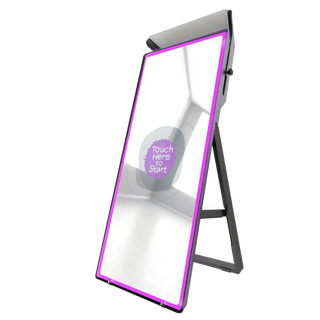 Fotomatón espejo
FMX Windows
 Fotomatón iPad
FMX iPad
 Teléfonos de los invitados
Selfie Wi-Fi
 Estación para compartir
FMShare
 Impresora
FMPrint
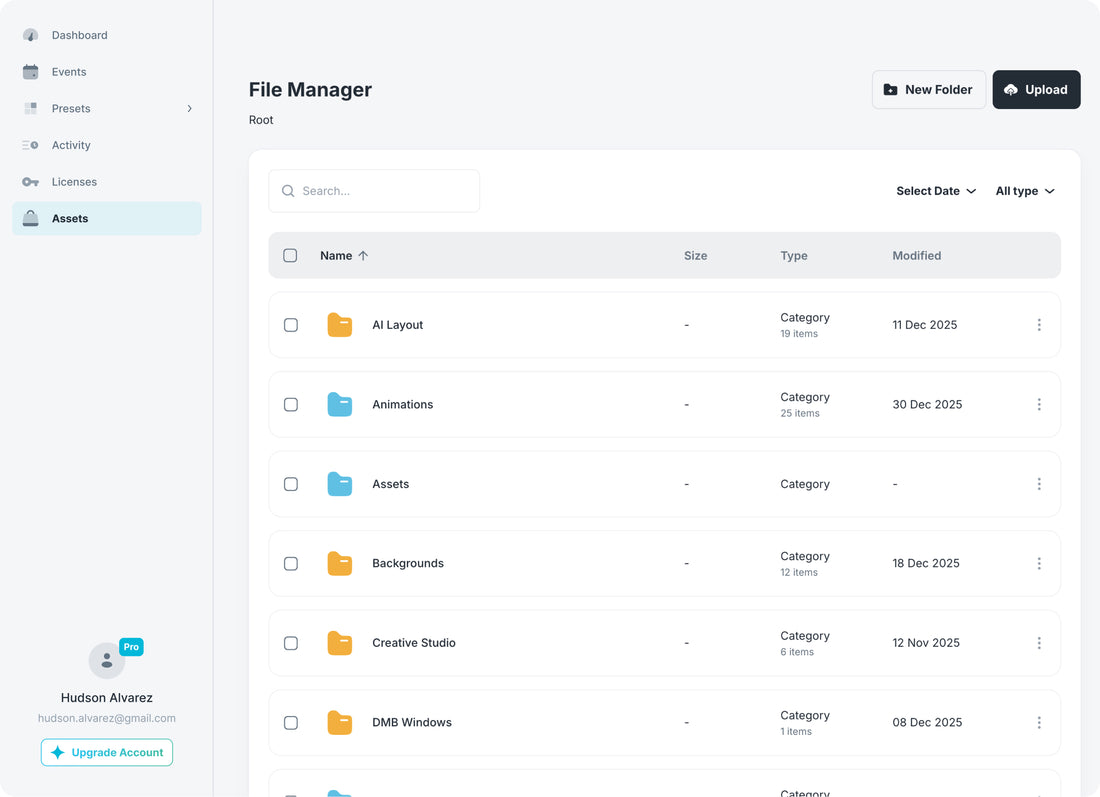
Empieza con nuestra biblioteca o añade tus propios recursos
FMLink es nuestra propia biblioteca de Cloud: superposiciones, animaciones, fondos y mucho más de alta calidad, listos para usar y con novedades constantes. Utiliza sus recursos, sube tus archivos y tenlo todo en un solo lugar, compartido entre todos tus eventos y fotomatones.
Todas las licencias en un panel
Todas tus aplicaciones en un solo lugar: cuáles están activas, cuándo se renuevan y en qué dispositivo se ejecutan.
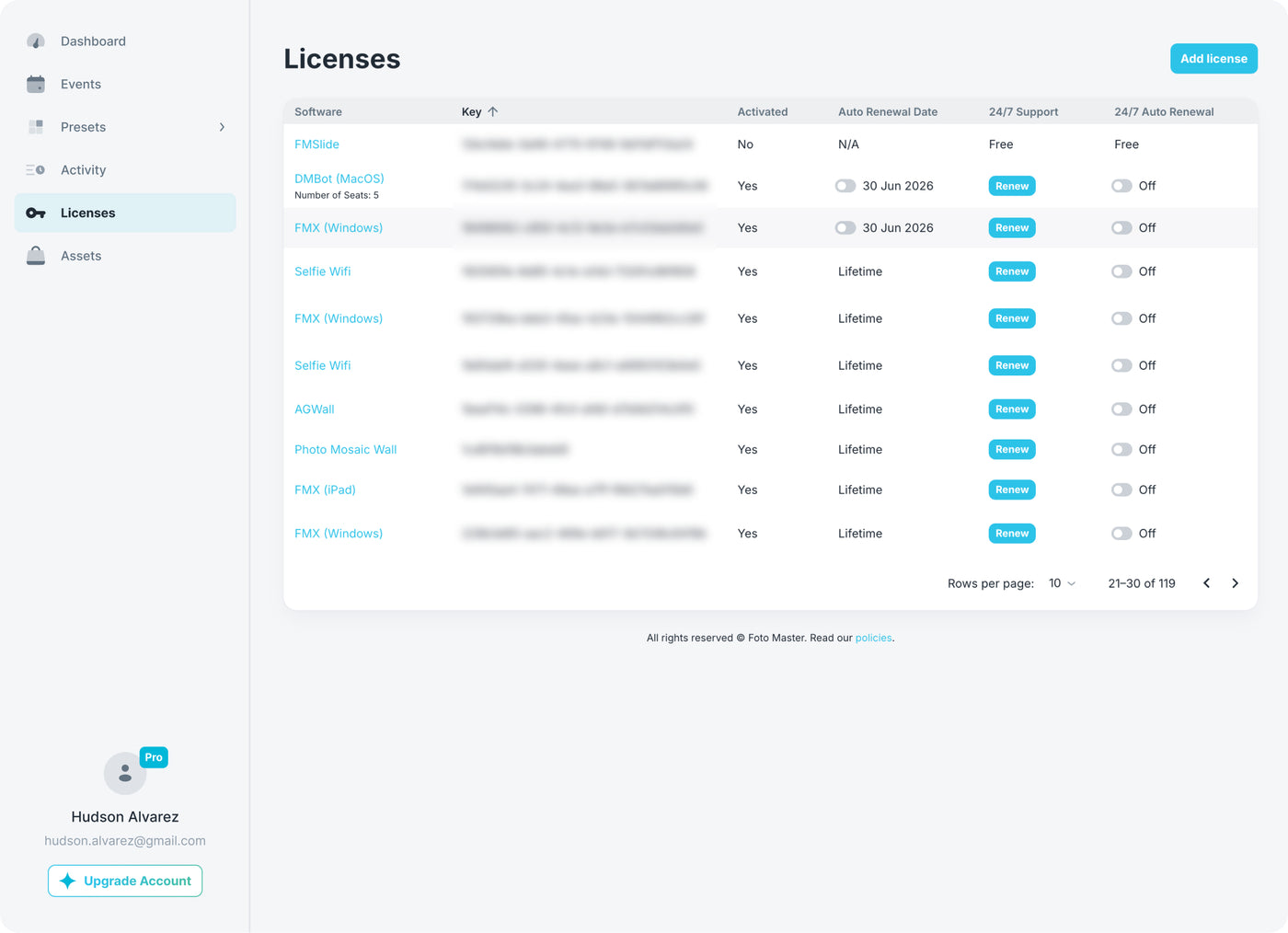
Añadir y renovar
Compra nuevas licencias, renueva las existentes y añade soporte 24/7 con un clic.
Vista completa del estado
Estado activo o inactivo, fechas de renovación, licencias y soporte de todas las aplicaciones.
Descargas con un clic
Descarga el instalador de cualquier aplicación con licencia directamente desde el panel.
11 aplicaciones para fotomatones, muros, uso compartido e impresión.
Consúltalo en directo y expórtalo después
Paneles para todo lo que ocurre en tu negocio: por evento, cliente, función y en toda tu operación. En directo desde cualquier navegador, incluso durante el evento.
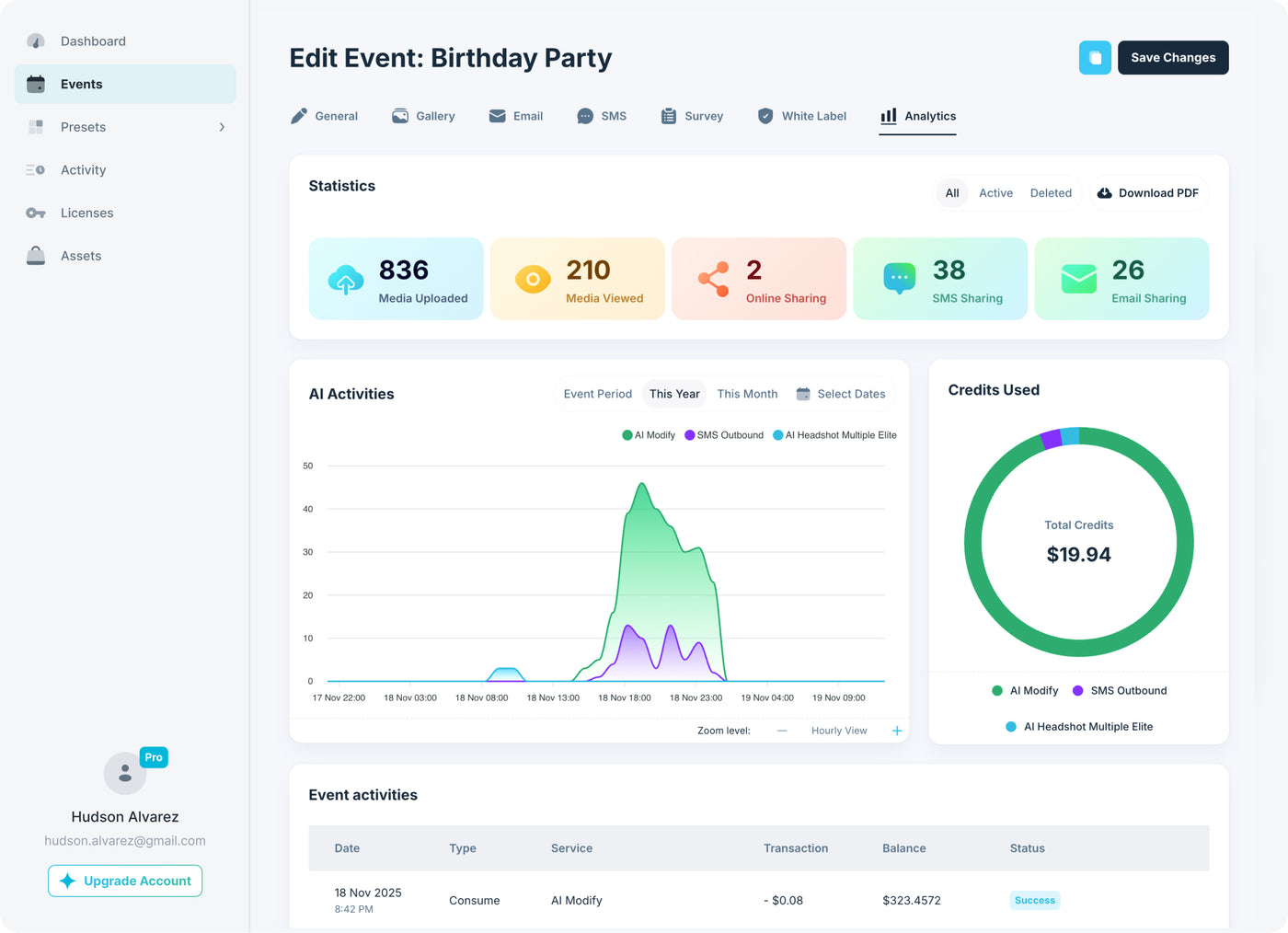
Todos los paneles permiten exportar. Exportaciones avanzadas a partir de Pro e informes con tu marca para clientes en Scale.
Todo lo que puedes exportar, con un clic
Sesiones, archivos multimedia creados, contenido compartido y visitas a la galería de cada evento. «Boda Cohen: 486 sesiones, 1240 contenidos compartidos».
Correos y números de teléfono recopilados con su estado de consentimiento, listos para la campaña de seguimiento de tu cliente.
Todas las respuestas de las pantallas de selección y las encuestas. «¿Qué producto te interesó más?», respondido por 312 invitados.
Generaciones por función y evento, con su coste. Descubre exactamente qué experiencias resultan rentables.
IA, SMS, almacenamiento y sesiones de toda tu flota, para el intervalo de fechas que elijas.
Todas las fotos, vídeos y GIF de un evento en un archivo. La entrega al cliente, resuelta con un clic.
💰 Convierte las experiencias en fuentes de ingresos
Acepta pagos sin efectivo dentro de tu flujo de trabajo de FMX.
Cobra por las experiencias directamente en FMX: mejoras de IA de pago, impresiones y sesiones prémium. Tú decides qué activa el pago en el flujo de trabajo.
Una tienda completa dentro de la experiencia FMX: impresiones, productos y paquetes, con tu catálogo de Shopify.
Automatiza todo lo que rodea al evento: envía sesiones a tu CRM, activa seguimientos y sincroniza la facturación. Webhooks en Scale y acceso completo a la API en Enterprise.
Nuevos clientes, sin gastar en publicidad
Foto Master hace el marketing que atrae solicitudes de alquiler de fotomatones en todo el mundo y las entrega a los operadores. Si tienes un fotomatón Foto Master, compites por ellas directamente en Cloud: coloca tus coins en las zonas donde trabajas y cada consulta te incluye en el sorteo. El ganador recibe en exclusiva el nombre, teléfono y correo de ese cliente.
Cubre las zonas donde trabajas
Coloca un coin donde aceptes trabajos e indica cuánto estás dispuesto a desplazarte. Starter cubre 100 millas desde un coin; Pro, 200; y Scale, 300.
Consíguelo en exclusiva, sin compartir el cliente potencial
Cada consulta de tu zona participa en un sorteo entre los operadores que la cubren, y solo uno gana. Se favorece a los coins que llevan más tiempo sin ganar para mantener un reparto equilibrado.
Consigue todo lo que necesitas para cerrar la reserva
Su nombre, teléfono, correo, fecha del evento, ubicación y solicitud, entregados en tu cuenta Cloud.
Los fotomatones Foto Master con soporte 24/7 activo pueden recibir 5 coins al mes. Lee la guía de LDP
Respuestas sobre la gestión de eventos
¿Tengo que crear cada evento desde cero?+
¿Cuál es la diferencia entre un evento y un preajuste?+
¿Puedo cambiar algo una vez iniciado el evento?+
¿Puedo preparar eventos con antelación?+
¿Puedo conectar varios dispositivos a un mismo evento?+
¿Qué puedo exportar?+
¿Se pueden trasladar las licencias entre dispositivos?+
¿Necesita el fotomatón conexión a internet durante el evento?+
¿Cómo funcionan los pagos, los webhooks y la API?+
¿Quién recibe realmente coins de LDP?+
¿El cliente potencial es exclusivo o se envía a varios operadores?+
¿Qué ocurre si nadie tiene un coin en una zona?+
¿Qué ocurre con mis coins si algo vence?+
¿Más preguntas? Consulta las preguntas frecuentes completas o visita la Base de conocimientos.
Clients love the Draw Bots! It is our top 2 experiences we sell!
My first event I had a problem, and I sent them a message 5 minutes before the event started. They solved it fast. This is support I can trust!
Our first time out of the gate with the robot arm was AMAZING. We had great interaction with folks and they loved the takeaway photo.