
🎹  The creator studio for FMX

Create everything. No third-party apps.

Workflows, photo layouts, animated videos with voiceovers, overlays, backgrounds, everything your FMX experience needs is built right in Foto Master Cloud. Start from a ready-made preset, a blank canvas, or a single AI prompt.

Creative tools power FMX experiences on Windows and iPad.

Welcome screenStyle selectionCountdownTake photoAI ModifyAI Image to VideoPreviewShare
One studio, four builders

From idea to running experience, without leaving the Cloud

Workflow Builder

Design the whole journey, your way

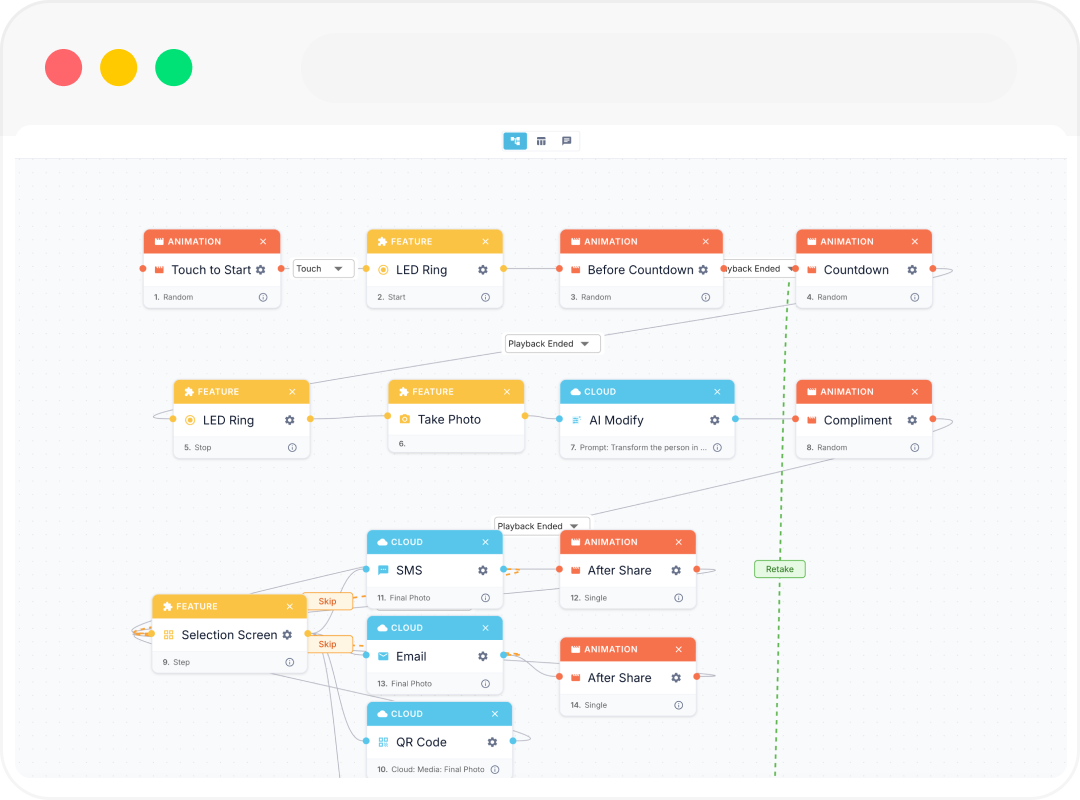
Every screen, button, path and rule of the guest experience, built visually. Read it as a plain list of steps, or open the node canvas when you want a guest choice to branch the flow. Add selection screens, surveys, payments, AI features and animations, and set the details behind each one. What you build is exactly what runs on the booth.
Start from a presetOr a blank canvas
Simple list or full node viewAs deep as you want to go
Drop in anythingScreens, surveys, AI steps, animations
Control every settingTimers, retakes, printing, sharing
cloud.fotomaster.com/workflows
The node-based Workflow Builder in Foto Master Cloud
Layout Builder

Pixel-perfect layouts, drag and drop

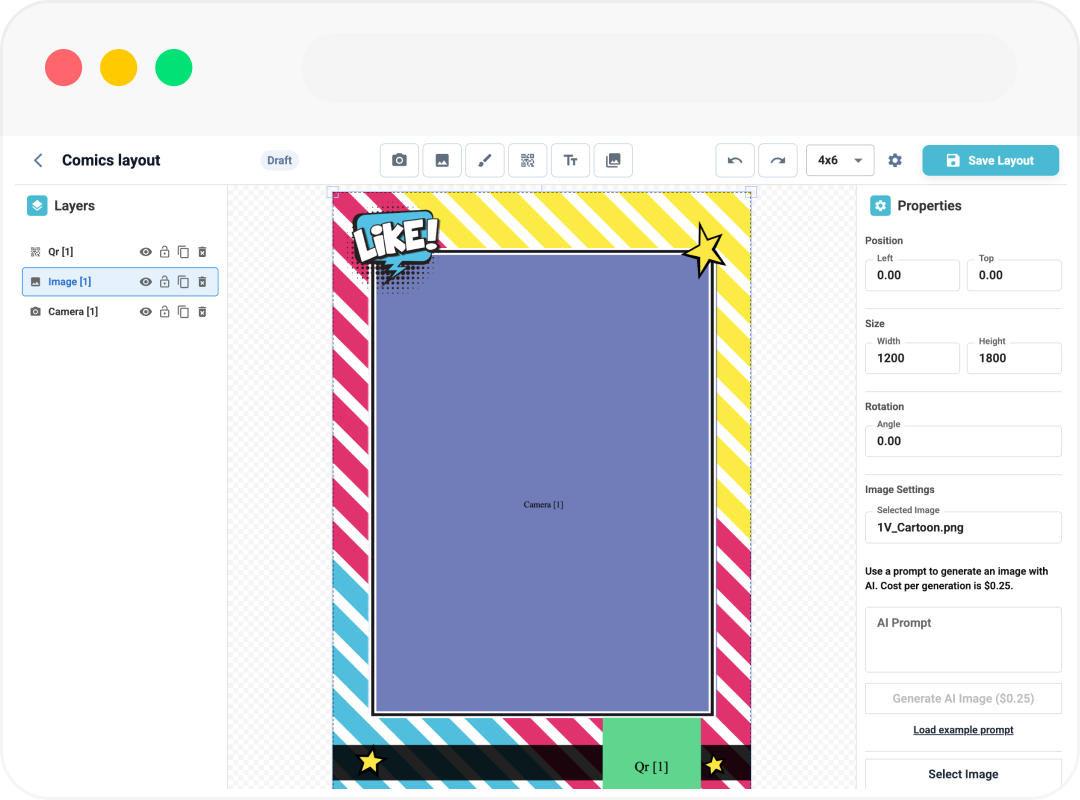
Design print strips, digital outputs and animated overlays in a WYSIWYG editor. Position photos, add text, elements, backgrounds and brand marks, and see exactly what guests will get.
Overlays & backgroundsYour library, or AI
Print & digitalOne design, every output
JSON import/exportMove layouts between accounts
cloud.fotomaster.com/layouts
The WYSIWYG Layout Builder in Foto Master Cloud
Video Builder

Cut the video like an editor, not a settings screen

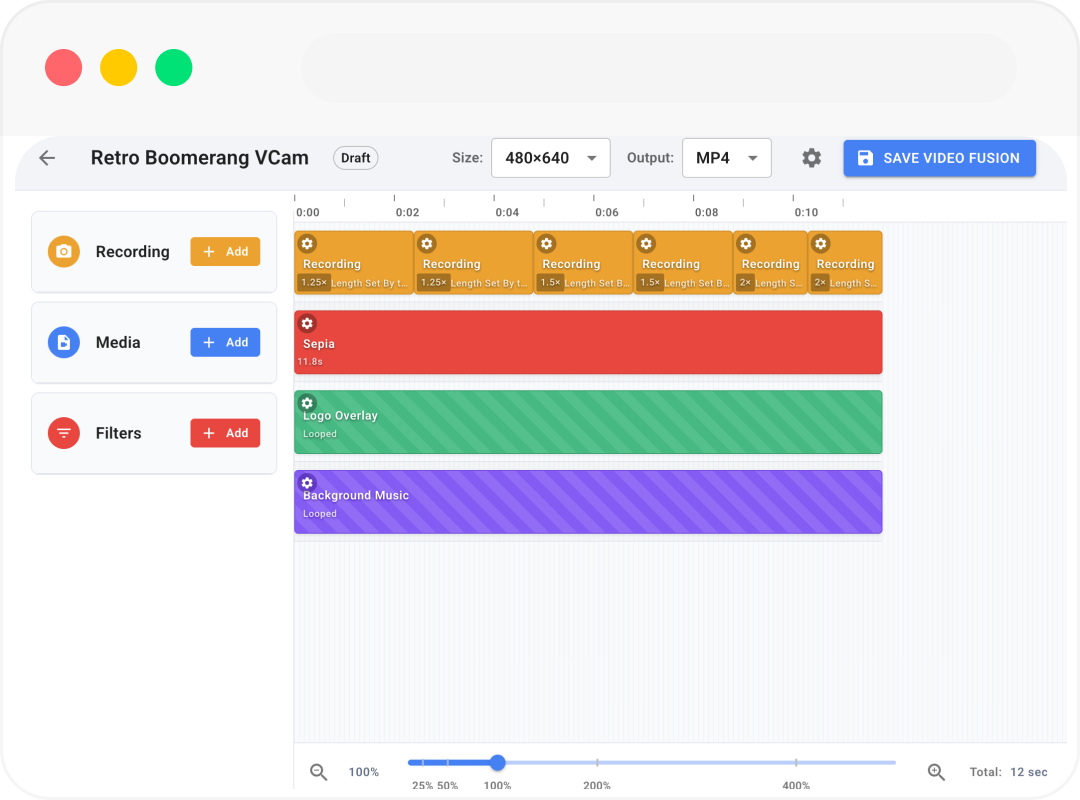
Build any video output your event needs: a GIF or boomerang from the photos, an AI video, or a full edit that combines your media with overlays, music and filters. A visual timeline puts you in the editor’s chair, and it is genuinely easy to use.
Layer what you needMedia, music and filters
Full controlMatch the client, not a template
Save it as a presetReuse it on any event
cloud.fotomaster.com/video-builder
The Video Builder in Foto Master Cloud
Templates & presets

A preset library that keeps growing

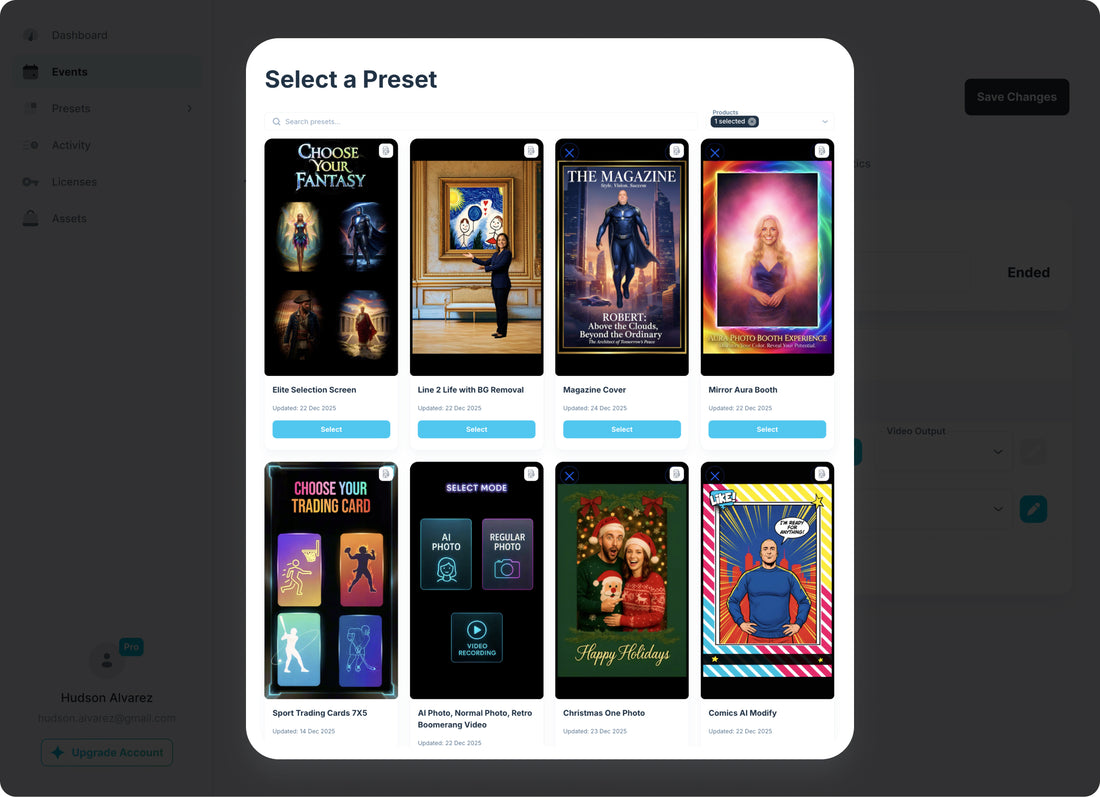
Every Foto Master preset is a ready-made FMX pack where the workflow, the layout and the video already work together, and we add more all the time. Take one as it is, tweak it into your own, or start from a blank canvas. Then save yours as a template and sell it every weekend.
cloud.fotomaster.com/presets
Presets and templates in Foto Master Cloud
AI generators for operators

Generate your assets right here

Describe what you want and Cloud generates it: a whole guest workflow, a branded overlay, or an animation for the screen.

Start Free Trial →

Generators are billed per generation from your AI credits. See the rate card
FMX software
Runs on FMX

Everything here builds FMX experiences

The workflows, layouts, videos and animations you create in Cloud all run on FMX, our booth software. One seat covers one booth.

$33/mo per seat, billed annually. Available for Windows and iPadOS.

Quick answers

Creative tools, answered

I’m not technical. Is this too advanced for me?+
Not at all! It is built to be intuitive and most operators pick it up as they go. Start from the preset library and you have a working experience in a few clicks, with step-by-step guides in the Knowledge Base and 24/7 support if you want them. The deeper tools are there when you are ready.
What can I customize?+
Almost everything: every screen and message a guest sees, the path they take, timers, retakes, printing and sharing, print and digital layouts, overlays, backgrounds, colors and fonts, the final video output, your animations and their voiceovers, and your AI features, styles and prompts.
Do I have to build everything from scratch?+
Never! Open a preset where the workflow, layout and video already work together, swap the wording and branding, and run it. Or describe your event in a sentence and let the AI Workflow Builder draft it.
Do I need third-party design software?+
No. Workflows, layouts, videos, overlays, backgrounds and voiceovers are all built here, and everything you make is saved to your library.
Which software do the creative tools power?+
FMX, on Windows and iPad. Other Foto Master apps run curated presets rather than custom workflows.
Can AI really build a whole workflow?+
Yes. Describe your event in a sentence and you get the full flow back: screens, paths, AI features and sharing, ready to fine-tune.
Can I reuse what I build?+
That is the best part. Save any workflow, layout or video as a preset, and duplicate a past event in one click.
Do I need FMX to use any of this?+
Yes. Everything you build runs on FMX, on Windows or iPadOS, at the same seat price either way. See FMX seat pricing

More questions? See the full FAQ or visit the Knowledge Base.

★★★★★
We have worked with a wide range of photo booth software and activation platforms over the years, and Foto Master consistently stands out.
Stefanny A.VerifiedFMX for Windows
★★★★★
I love the new FMX! It's the best photo booth software. All the features are amazing. You can even choose from the best AI models.
Mark P.VerifiedFMX for Windows
★★★★★
Love how this service continues to improve.
Cowboy M.VerifiedFMX for Windows

Read all customer reviews

Your next experience is one prompt away

Build workflows, layouts and videos in the Cloud. No third-party apps required.

14-day free trial on Starter, Pro and Scale · cancel online anytime